
Your cloud bill arrives. Your stomach drops. That number makes no sense. You spin up a few servers. Maybe a database. A storage bucket here and there. How did it reach fifty thousand dollars? This is the reality for engineering teams who skip cloud cost monitoring. Cloud cost monitoring is the systematic practice of tracking, analyzing, and controlling what you spend on cloud infrastructure. It is not a one time audit. It is a continuous discipline. Without it, cloud waste eats your budget like a silent parasite. This article shows you exactly how to track every dollar and optimize every resource.
Key Takeaways:
- Cloud cost monitoring transforms vague spending fears into concrete, actionable data;
- The FinOps framework provides the standard approach for engineering, finance, and operations teams to collaborate;
- Over-provisioning and orphaned resources are the two biggest sources of cloud waste.
- Real-time cost intelligence beats reactive cost tracking every time;
- Tools like cost guardrails and automated remediation stop spending leaks before they happen;
- Infrastructure as Code (IaC) and Environments as Code (EaC) are your best defenses against infrastructure drift and runaway costs.
What is Cloud Cost Monitoring
Cloud cost monitoring means collecting usage and spending data from your cloud providers, then analyzing that data to find inefficiencies. Specifically, it tracks:
- Compute hours: How long your virtual machines and containers actually run;
- Storage consumption: Every gigabyte stored across disks, buckets, and databases;
- Data transfer costs: Traffic moving between regions, services, and the public internet;
- Budget comparisons: Actual spending against what you planned.
You watch all of this closely. Then you compare actual usage against what you budgeted.
The practice sits inside a larger framework called FinOps. FinOps brings together engineering, finance, and product teams around a single goal: getting maximum business value from every cloud dollar. Cloud cost monitoring is the engine that makes FinOps work.
Cloud cost monitoring is different from simple billing alerts. Billing alerts tell you after you have spent too much. Monitoring tells you in real time. You see a sudden spike in GPU instances at 2 PM. You investigate immediately. Maybe a developer forgot to shut down a test cluster. Maybe a production service is scaling wildly. Either way, you catch it before the month ends.
The scope has grown recently. Traditional monitoring looked at a single cloud. Multi-cloud environments now dominate. Teams run workloads on AWS, Azure, and Google Cloud simultaneously. Each provider has its own pricing model. Each has different discount structures. Cloud cost monitoring across multiple clouds requires pulling data from all their cloud provider APIs into one unified view. That is harder than it sounds.
We think the biggest misunderstanding is about ownership. Many companies think finance owns cloud cost monitoring. That fails. Finance sees the bill but does not understand why a specific container instance costs more than another. Engineering understands the infrastructure but often ignores price tags. Cloud cost monitoring works best when both groups share responsibility.
Why Cloud Cost Monitoring is Essential
The numbers are brutal. According to Flexera’s State of the Cloud reports, organizations have historically wasted an estimated 28–32% of their cloud spend, with the 2024 report showing approximately 28%. Nearly one third of every cloud dollar goes to nothing useful. That is cloud waste on a massive scale.
Over-provisioning is the main culprit. Teams guess how much CPU and memory they need. They guess how to be safe. Those oversized instances run for months or years. Nobody ever rightsizes them.
Orphaned resources come second. A developer spins up a test database for a two day project. The project ends. The database keeps running. Unattached storage volumes sit there billing forever. Load balancers for deleted applications continue accumulating charges. Orphaned resources are pure waste.
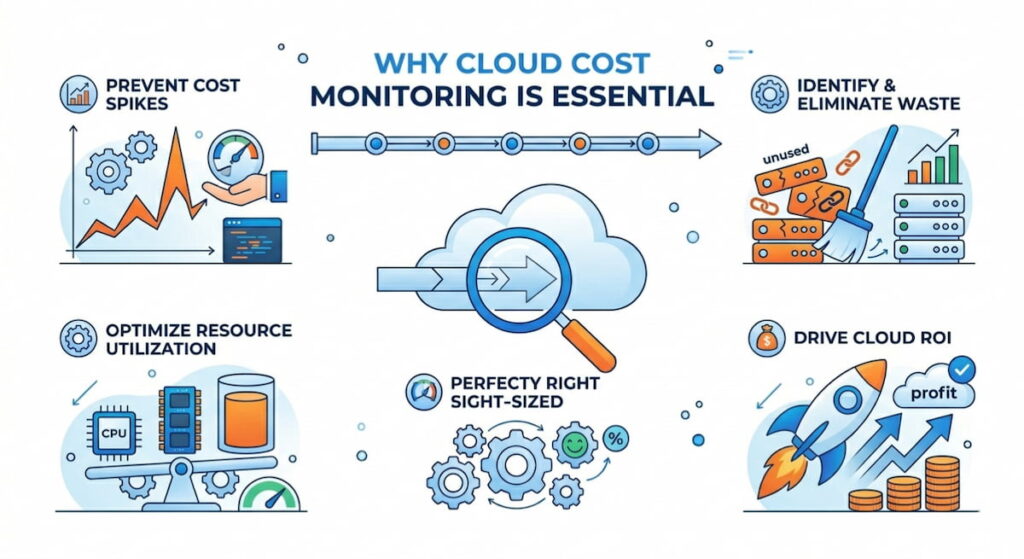
Cloud cost monitoring exposes both problems. You see exactly which resources are underutilized. You find the orphaned volumes immediately.
Beyond waste, there is a competitive angle. Your competitors are running the same workloads for less money. They invest those savings into features or marketing. A proper cloud cost management strategy directly improves your margins.
There is also the audit reality. Cloud cost governance is becoming a regulatory expectation in some industries. According to research published in Computers & Security (Elsevier), cost observability is increasingly viewed as an integral security control aligned with frameworks like SOC 2. Public companies need to explain material cost variances. Healthcare organizations under HIPAA need to justify every data processing expense. Cloud cost monitoring provides the paper trail.
Honestly, the best reason is team morale. Engineers hate being told “the cloud bill is too high” with no specifics. Give them real-time cost intelligence and they become part of the solution. They start optimizing their own services. They compete to see who can reduce costs the most. That is a good kind of competition.
How to Track Cloud Cost Monitoring
Tracking requires a structured approach. You cannot just look at the total bill once a month. Here is a step by step method that works.
Step 1: Tag Everything
Tagging is a non-negotiable practice, meaning every single resource must receive metadata that specifies critical attributes such as the environment (production, staging, development), team (backend, data, frontend), application name, cost center, and owner, because without such tags you cannot effectively allocate costs. While AWS refers to these as tags and Azure also calls them tags, Google Cloud uses the term labels, though the underlying concept remains identical across all platforms.
Implementing good tagging requires discipline, which you can enforce using cost guardrails: if someone attempts to spin up an untagged resource, the provisioning fails and they receive an error message prompting them to add the required tags. Although this process feels annoying at first, after two weeks it consistently becomes a habitual part of the workflow.
Step 2: Set a Real-Time Data Pipeline
Most companies look at cloud costs with a 24 hour delay. That is reactive cost tracking. It tells you what happened yesterday. You need real-time cost intelligence instead. Real time means streaming cost data into a dashboard with a maximum 15 minute lag.
Build a pipeline that pulls from cloud provider APIs every few minutes. Push that data into a time series database. Visualize it with something like Grafana or a dedicated cloud cost management tool. You want to see costs updating while you watch.
Step 3: Establish a Daily Review Cadence
One person on your team spends 15 minutes every morning looking at yesterday’s costs. They scan for anomalies. A sudden 40% increase in networking costs. A new region is appearing. A service that usually costs $50 suddenly costs $500. This daily review catches problems before they become disasters.
Document everything you find. Keep a simple log. “April 9: Staging database left running overnight. The owner was notified. Instance stopped.” Over time, this log reveals patterns. Maybe the same developer leaves test instances running every Friday. Time for a conversation.
Step 4: Implement Cost Policies
Cost policies are rules that define acceptable spending behavior. Examples include:
- No single instance larger than 16 vCPUs without approval;
- Development environments shut down automatically at 8 PM;
- Any storage bucket over 5 TB triggers a review;
- Cross region data transfer must stay under 1 TB per month.
Write these policies down. Share them with every engineer. Then automate enforcement where possible. Cloud cost governance is not about saying no. It is about making the right choice and the easy choice.
Step 5: Use Predictive Analytics
Predictive analytics looks at historical spending patterns to forecast future costs. You see that every month, costs spike by 20% in the last week. Why? Because teams rush to finish experiments before monthly reporting closes. That knowledge lets you either plan for the spike or change the behavior.
Some advanced tools use machine learning to forecast. Oracle Cloud Infrastructure offers a no-cost Cost Anomaly Detection feature that uses ML algorithms to forecast daily cost and identify anomalies. Simple linear regression works fine for most teams. The goal is not perfect accuracy. The goal is detecting when real spending diverges from predicted spending.
How to Optimize Cloud Cost Monitoring
Tracking is useless without action. Optimization is where you actually save money. Here are the tactics that work.
Right-Sizing Everything
Resource optimization starts with right-sizing. Take every computer instance. Look at its CPU and memory utilization over the last 30 days. If peak utilization stays below 40%, downsize to a smaller instance. If it stays below 10%, maybe you do not need that instance at all.
The same applies to databases, load balancers, and storage volumes. Many teams right-size once per quarter. Elite teams do it weekly with automation.
Kill Orphaned Resources
Run a weekly scan for orphaned resources. Look for:
- Unattached storage volumes older than 7 days;
- Load balancers with no registered targets;
- IP addresses not assigned to any instance;
- Snapshots older than 90 days;
- Container repositories with no active pulls.
Delete them immediately. Most are safe to remove. For critical ones, someone will complain quickly. That is fine. You learn which resources actually matter.
Automate Remediation
Automated remediation is the killer feature of mature cloud cost monitoring. You define a rule. The system enforces it without human intervention.
Example rule: “Any development instance running longer than 12 consecutive hours must stop automatically.” The system checks every hour. It finds a development instance at 14 hours. It sends a warning at 12 hours. It stops at 14 hours. The developer gets an email explaining what happened.
This is not mean. It is training. Developers learn to shut down their own instances or use scheduled start/stop scripts. Automated remediation changes behavior at scale.
Fix Infrastructure Drift
Infrastructure drift happens when manual changes bypass your Infrastructure as Code (IaC). Someone logs into the AWS console. They click around. They resize an instance manually. That is ClickOps. Now your IaC template says one thing. The live environment says another. Costs drift upward.
Fix drift by banning ClickOps for production resources. All changes go through IaC (Terraform, Pulumi, CloudFormation). Run regular drift detection. When drift appears, either revert the manual change or update the template. Infrastructure Platform Engineering (IPE) teams often own this process.
Adopt Environments as Code (EaC)
Environments as Code (EaC) takes IaC further. You define entire environments (development, staging, testing) as code. Each environment has a budget. Each environment has a lifetime. Spin up a full test environment. Run your tests. Destroy the environment two hours later. You pay only for those two hours.
Quali Torque is one platform that enables Environments as Code (EaC). It integrates with existing IaC tools and adds environment level governance. The cost savings come from destroying temporary environments automatically. No more forgotten test clusters running for months.
Close the Loop with Mean Time To Recovery
Mean Time To Recovery (MTTR) is usually a reliability metric. It applies to cost too. When you detect a cost anomaly, how long until you fix it? Good teams have an MTTR under two hours. Great teams have closed-loop integration where the monitoring system automatically opens a ticket, assigns an owner, and escalates if no action happens.
Track your cost MTTR. Watch it improve over time. That improvement directly reduces cloud waste.
Cloud Cost Monitoring Tools
The tool landscape is crowded. According to the GigaOm Radar Report for Cloud FinOps 2026, there are dozens of vendors with varying capabilities across key features like billing normalization, cost optimization insights, forecasting, and anomaly detection. Here are the ones that actually deliver value.
Native Cloud Tools
- AWS Cost Explorer – Shows historical spending with basic filtering. Good for getting started. Weak for multi-cloud and real time alerts;
- Azure Cost Management – Similar to AWS. Includes basic recommendations for rightsizing. Works better than expected for single cloud Azure shops;
- Google Cloud Billing Reports – The least mature of the three. Fine for simple needs. Frustrating for complex organizations.
All native tools suffer from the same problem. They want you to stay in their ecosystem. They do not help you compare prices across providers.
Dedicated Cloud Cost Management Platforms
- CloudHealth by VMware – The enterprise standard. Strong reporting. Good for multi-cloud and large teams. Expensive. VMware’s FinOps in VCF documentation explains how their platform enables showback, chargeback, and TCO analysis;
- CloudCheckr – Now part of NetApp. Focuses on security and compliance alongside cost. Popular in government and healthcare;
- Vantage – Newer player. Clean interface. Excellent for developers who hate complex UIs. Reasonable pricing;
- Zesty – Automates rightsizing for AWS. Claims to reduce EC2 costs significantly. Aggressive automation.
Anomaly Detection and Predictive Analytics
- Anomalo – Uses machine learning for anomaly detection. Spots cost spikes that rules might miss. Good for complex environments;
- Harness Continuous Delivery – Includes cost intelligence as part of its CI/CD platform. Sees costs at the deployment level. You know exactly which code changes increased spending;
- Monitor Us – Not a cost tool directly. But user experience monitoring correlates with cost efficiency. Slow apps often waste money on over-provisioned resources.
Infrastructure as Code Governance Tools
- Tecracer – Audits Terraform configurations for cost inefficiencies before deployment. Catches over-provisioning at the planning stage;
- Infracost – Open source. Shows cost estimates for Terraform changes in your pull requests. Developers see the price tag before they merge;
- Checkov – Scans IaC for security and cost misconfigurations. Free and widely used.
The best tools do not just show you costs. They take action. Closed-loop integration means your monitoring tool talks to your provisioning tool. When a cost policy is violated, the system remediates automatically. This is rare today. Expect it to become standard within two years.
How to Choose Cloud Cost Monitoring Tool
Start with native tools. They are free. Learn what normal spending looks like. Then add a dedicated platform when you hit three conditions:
- You have multi-cloud;
- Your monthly bill exceeds $50,000;
- You spend more than 10 hours per week on manual cost analysis. Before those conditions, focus on tagging and basic automation.

