
Ask ten developers what keeps them up at night. Three will say “silent failures.” Four will say “finding that one error across a thousand servers.” The rest will just point at their monitoring dashboards. Log monitoring sits right in the middle of this mess. It is the difference between spotting a crash at 2 AM and hearing about it from your angry users first thing Monday morning.
Let’s cut through the noise. This guide walks through what log monitoring actually means, why engineering teams keep messing it up, and which tools might save your job.
What is Log Monitoring
Log monitoring is the practice of continuously watching, analyzing, and alerting on Log Data generated by your systems. Every time your application writes a line about a user login, a database timeout, or a failed API call, that is a log. Log Monitoring takes those raw entries and turns them into something useful. Not just storage. Action.
Think of it like this. Your servers scream constantly. Most screams are harmless. “Cache hit.” “Health check passed.” “User clicked button X.” But some screams mean fire. Log monitoring filters the noise, finds the fire, and maybe, just maybe, wakes up the right person before everything burns.
We think the simplest definition works best. Log monitoring is your infrastructure’s hearing aid. Without it, you are deaf to anomalies, performance drops, and security breaches until customers start tweeting.
Types of Logs
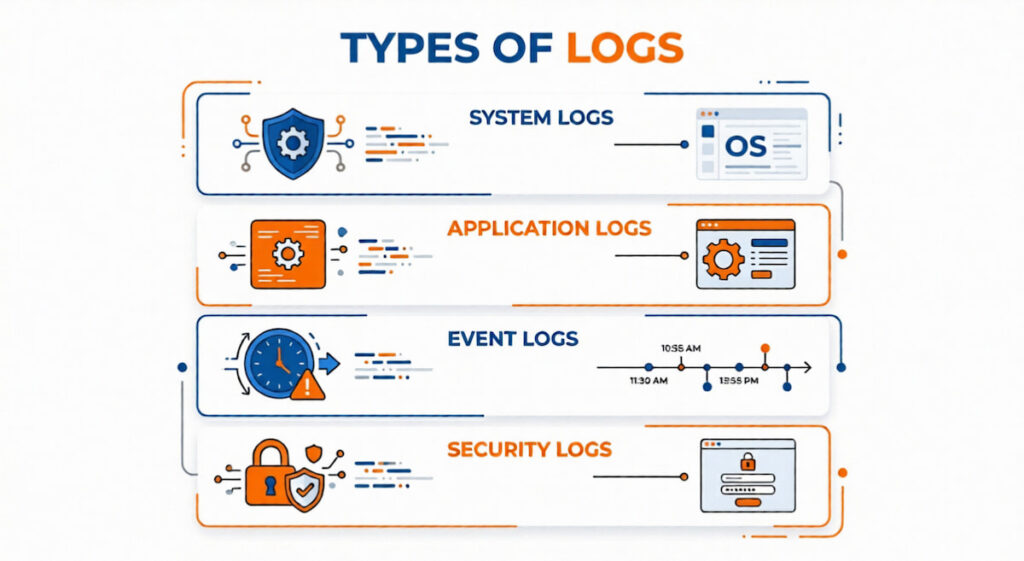
Not all logs serve the same purpose. You will encounter four major categories in any real world deployment.
System Logs
System Logs capture operating system events. Kernel messages, hardware failures, disk space warnings, boot sequences. These run beneath everything else. When a Virtual Machine on AWS starts throwing disk I/O errors, system logs tell you first.
Application Logs
Application Logs come from your actual code. Login attempts, checkout transactions, database queries, third party API calls. These are what most people picture when they hear “logs.” Structured or unstructured, they tell the story of how your software behaves under real traffic.
Event Logs
Event Logs focus on specific occurrences. User actions, state changes, security events. “User X accessed the admin panel at 3:14 AM” belongs here. So does “Firewall blocked IP 192.168.1.45.” Event Logs differ from general application logs because they are discrete. They have a clear “this happened” timestamp and context.
Security Logs
Authentication failures, permission changes, unusual access patterns. Security Operations teams live here. A sudden spike in failed SSH logins means your security logs are screaming.
Honestly, most organizations blur these boundaries. A single log line might qualify as both an application log and an event log. Do not get hung up on perfect categorization. Just know what types exist so you do not configure monitoring that only watches system logs while your app silently crashes.
How Log Monitoring Works in 6 Steps
Here is the flow. Your applications and infrastructure generate Logs. Those logs get collected, aggregated, indexed, and analyzed. When something looks wrong, the system alerts someone.
- Collection: Agents or forwarders sit on every server, container, and virtual machine. They tail log files, listen for syslog messages, or receive logs directly from Cloud Applications via API. Popular collectors include Logstash, Fluentd, and vector;
- Centralization: Scattered logs are useless. You push everything into a single Centralized Data store, often called Centralized Log Management. This could be Elasticsearch, Splunk, or a cloud hosted service. Without centralization, debugging a request that spans three microservices becomes archaeological work. You would dig through five different servers hoping to find timestamps that match;
- Indexing and Parsing: Raw logs arrive as text. Some are Structured Logs in JSON or key value pairs. Others are Unstructured Logs like plain English sentences, weird formats, or stack traces. The system parses these, extracts fields like timestamp, severity, source, and message. Then it builds search indexes so you can ask “Show me all errors from the payment service between 2 and 3 PM.”;
- Analysis and Alerting: Now the actual monitoring begins. You set rules. “If 5XX errors exceed 10 per minute, page the on-call engineer.” Machine Learning and AIOps tools can automatically learn normal behavior and flag Anomalies without manual thresholds. That is the dream, anyway. In reality, you will spend weeks tuning alerts;
- Visualization and Exploration: Dashboards, search interfaces, log analytics queries. This is where humans interact with the system. You filter, pivot, and zoom in on specific transactions;
- Action: An engineer gets an alert. They investigate. Maybe they will restart the service. Maybe they roll back a deployment. Maybe they realize the alert was garbage and silence it forever. That last one happens more than anyone admits.
Key Benefits of Implementing Log Monitoring
Why bother? Here is what you actually gain.
Faster Incident Response
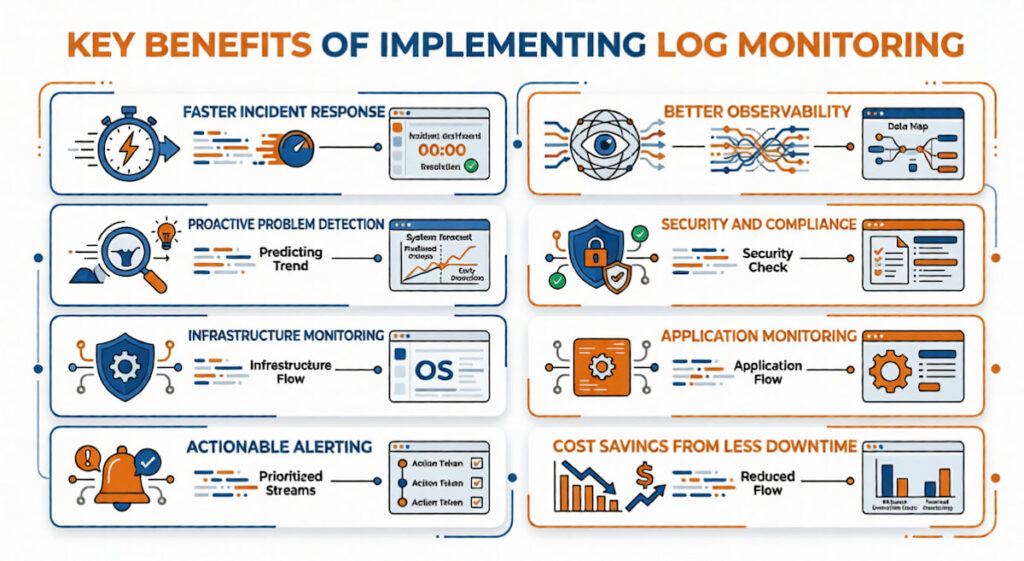
Mean time to detection drops dramatically. Mean time to resolution follows. When your Log Monitoring Software flags an error the second it appears, you start fixing before users even notice. According to our data, teams with proper log monitoring resolve incidents four times faster than those without.
Better Observability
Observability is not just logs. It is the combination of Logs, Metrics, and Traces. Log monitoring gives you the “what happened” in plain English. Metrics tell you “how much” like CPU usage or request rate. Traces show “where” across services. Together, they answer “why is this broken?” Log monitoring anchors the whole stack.
Proactive Problem Detection
Stop fixing things after users complain. Log monitoring catches weird patterns early. Maybe a database connection pool is slowly leaking. Maybe a memory leak appears every 48 hours. You see these trends before they become outages.
Security and Compliance
Compliance requirements like SOC2, HIPAA, and PCI DSS demand log retention and monitoring. Failed logins. Access to sensitive data. Configuration changes. All must be tracked. Security Operations centers rely on log monitoring to detect breaches that might otherwise go unnoticed for months.
Infrastructure and Application Monitoring
Infrastructure Monitoring needs logs. Application Monitoring needs logs. Network Monitoring needs logs. Your Kubernetes cluster logs everything from pod crashes to scheduler decisions. Your AWS environment logs API calls through CloudTrail. Azure does similar things. Without a centralized view, you are blind.
Actionable Alerting That Actually Works
We are talking Actionable Alerting, not just noise. A good system sends alerts you can act on. “Payment service latency exceeded threshold” is actionable. “CPU spiked for 3 seconds” probably is not. The difference changes how your on-call team sleeps.
Cost Savings from Less Downtime
One hour of downtime for an e-commerce site during Black Friday can cost millions. Log monitoring is cheap insurance. Even small internal tools cost your team hours of wasted debugging time without proper logs.
Common Log Monitoring Challenges
It is not all roses. You will hit these walls.
- Volume: Modern systems generate insane amounts of Log Data. A single Kubernetes cluster might produce terabytes per day. Storing everything gets expensive fast. Sampling helps, but sampling risks missing the exact error you need;
- Noise: Most logs are worthless. “INFO: Health check passed” repeated every 30 seconds from 200 containers. That is noise. Teams waste hours sifting through garbage to find real problems;
- Alert Fatigue: Too many alerts. Or alerts that fire but do not mean anything. After a while, your team stops responding. Alert Fatigue is dangerous. The real emergency gets ignored because the last fifty alerts were false;
- Unstructured Chaos: Unstructured Logs are a nightmare to query. “User 123 logged in” versus “Login success for user 123” versus “Successful authentication: 123.” Three ways to say the same thing. Good luck writing a single search that catches all of them;
- Cost: Log Monitoring Tools are not free. Between storage, ingestion, and compute for indexing, bills can hit five figures monthly. Surprise bills are common when a misconfigured service starts logging debug data at 10GB per hour;
- Distributed Systems: Tracing a single user request across Containers, Virtual Machines, and serverless functions requires correlation IDs and consistent timestamps. Without those, you are guessing.
How to Implement System Log Monitoring: 8 Steps
Start small. Do not try to monitor everything on day one.
Step 1: Inventory Your Sources
List every system generating logs. System Logs from your VMs. Application Logs from your ten microservices. Database logs. Load balancer logs. Your Kubernetes cluster. Write it down.
Step 2: Choose a Central Destination
Pick a Log Management solution. Open source options like the Elastic stack (Elasticsearch, Logstash, Kibana) or Graylog. Cloud options from AWS, Azure, or third parties like Datadog or Splunk. Your budget dictates this more than features.
Step 3: Deploy Log Forwarders
Install agents on every source. Filebeat for Elastic. CloudWatch agent for AWS. Fluentd for Kubernetes. Configure them to ship logs to your central store.
Step 4: Define Retention Policies
How long do you keep logs? Hot storage for fast search might last 7 to 30 days. Cold storage for cheap, slow access might last 90 days to a year. Compliance might force longer.
Step 5: Create Structured Logging Standards
Enforce Structured Logs in JSON everywhere. Require specific fields. Timestamp, level, service name, trace ID, message. This is not optional if you want to search for work.
Step 6: Build Dashboards and Alerts
Start with three dashboards. System health, application errors, security events. Create five alerts. Tune them for two weeks. Add more slowly.
Step 7: Train Your Team
DevOps, Engineering Teams, and IT Operations Teams all need to know how to search logs. Run a workshop. Show them how to trace a request across services. According to our analysts, untrained teams waste 70% of the value of their log monitoring investment.
Step 8: Review and Iterate
Every month, review your alerts. Which fired? Which were ignored? Which should never have existed? Kill the useless ones. Add missing ones.
Which Tool is Used for Log Monitoring
Hundreds of options exist. We will focus on the ones actual companies use. The table below breaks down the most popular Log Monitoring Tools by their strengths, weaknesses, and typical use cases.
| Tool | Best For | Key Strength | Major Weakness | Typical User |
|---|---|---|---|---|
| Elastic Observability (ELK Stack) | Open source flexibility | Free to start, runs anywhere (AWS, Azure, on prem), powerful Elasticsearch backend | Steep learning curve, requires dedicated tuning | DevOps teams with budget constraints |
| Splunk | Enterprise scale, unstructured logs | Unmatched parsing of Unstructured Logs, fast search at massive volume | Extremely expensive, complex licensing | Large enterprises with compliance needs |
| Datadog | Integrated Observability | Beautiful UI, seamless connection between Logs, Metrics, and Traces | Pricing gets unpredictable, overage charges hurt | Engineering Teams already using Datadog for metrics |
| Loki | Kubernetes environments | Cheap to run, indexes labels not content, pairs with Grafana | Painful for full text search, weak on Log Analytics | IT Operations Teams running Containers |
| Sumo Logic | Cloud native AIOps | Built in Machine Learning for Anomaly detection, no infrastructure to manage | Vendor lock in, can get expensive at high volume | Security Operations and cloud first teams |
| Logz.io | Managed open source | Runs on top of Elasticsearch, adds Actionable Alerting and support | Less control than self managed, still costs money | Teams wanting Elastic without the ops work |
| AWS CloudWatch Logs | AWS only environments | Deep integration with Virtual Machines, Lambda, and AWS services | Useless outside AWS, search is slow, interface clunky | AWS only shops |
| Azure Monitor | Azure only environments | Native to Azure, handles Application Logs and system logs together | Same problems as CloudWatch, terrible multi cloud support | Azure only shops |
| Google Cloud Logging | GCP only environments | Good integration with BigQuery, powerful query language | Limited third party support, niche user base | Google Cloud customers |
Honestly, start with the Elastic stack. It is free, powerful, and teaches you what you actually need.Switch to a paid tool when you outgrow it or when your team refuses to learn Elasticsearch queries. For Kubernetes specifically, the EFK stack (Elasticsearch, Fluentd, Kibana) remains the most battle tested choice.
How to Choose Tool for Log Monitoring
Seven questions to ask before signing any contract.
- What is your actual volume? Estimate daily log volume in gigabytes. Multiply by 30. Then double it because you are wrong. Choose a tool that handles two to three times your current volume without breaking the bank. Many tools price per gigabyte ingested. At 500GB per day, those pennies add up fast;
- Structured or unstructured? If you control your logging and enforce Structured Logs everywhere, you have options. If you are stuck with Unstructured Logs from legacy systems, you need a tool with strong parsing ability. Splunk or Elastic with custom pipelines fit here;
- Where do your systems run? AWS only? CloudWatch might suffice. Kubernetes with Containers across AWS and Azure? You need something cloud agnostic. Virtual Machines mixed with serverless functions? Make sure your tool supports both.;
- Who is using it? Just IT Operations Teams? Or Security Operations, developers, and business analysts too? Different users need different interfaces. Security wants raw event logs. Developers want trace IDs and error messages. Business people want dashboards about user behavior. One tool might not serve all masters;
- How important is Observability integration? Do you need logs connected to Metrics and Traces? Some tools like Datadog or Elastic Observability do all three. Others like plain Splunk focus on logs and require separate tools for metrics;
- What is your team’s tolerance for complexity? Elasticsearch requires tuning. Shards, replicas, index lifecycles, mappings. It can be a part time job. Managed services cost more but save operational headaches. Choose based on whether you have a dedicated person for this;
- 7. Compliance requirements? Compliance often mandates specific retention periods, audit trails, and access controls. Some tools handle role based access control better than others. If auditors will review your log system, pick something with strong governance features.
One more thing. Start a proof of concept before buying. Send a week of real logs to the tool. Search for actual problems you have had. Time how long it takes to find them. That test alone will eliminate half the options on your list.
Log monitoring is not glamorous. It will not get you promoted at a cocktail party. But when your payment system goes down at 11 PM on a Friday, it is the only thing standing between you and a truly miserable weekend. Start small. Log everything as structured data. Tune your alerts ruthlessly. And maybe, just maybe, you will sleep through the night.

